
Houston News from KHOU 11
TEGNANews & Magazines
4.52.08K Reviews
- Version
- 50.23.2
- Installs
- 100.00K
- Age Rating
- Everyone
Screenshots
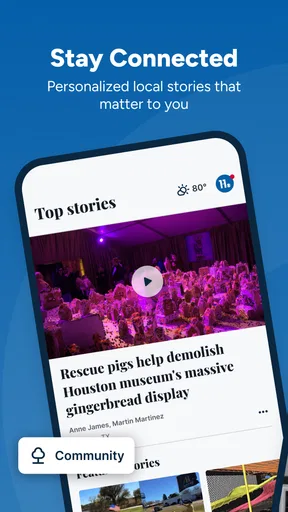
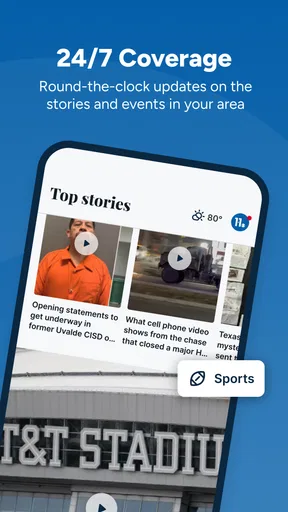
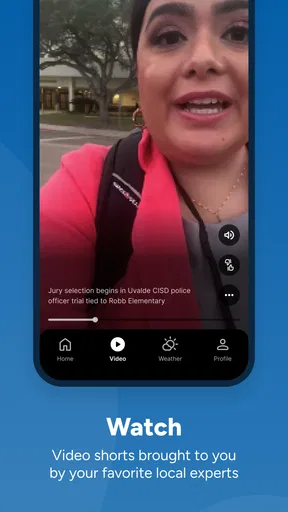
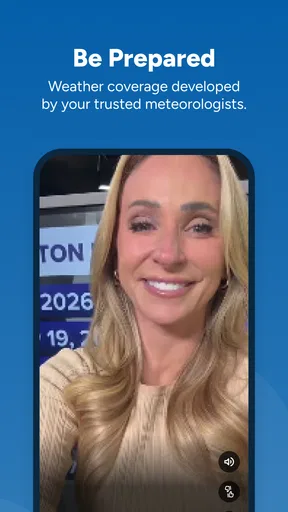
Our Review of Houston News from KHOU 11
 Analysis by Appyee
I use local news apps differently from national news apps: I open them when something is happening close enough to affect my day. That is where Houston News from KHOU 11 makes sense. It is a free News & Magazines app from TEGNA, built around Houston-area reporting, live video, and weather rather than a broad stream of stories from everywhere.
My first impression is that it feels purpose-built for people who live in, work around, or regularly travel through Houston. It is not trying to replace every news source on my phone. Instead, it gives local developments a more prominent place, which is useful when traffic, severe weather, public safety, schools, or neighborhood events matter more than national headlines. The app is available to everyone, and its store summary makes the central promise clear without making the experience sound bigger than it is.
The app has been around since December 17, 2010, and its current version is 50.23.2. That long history matters because local-news apps often change gradually as publishers refine their mobile presentation. In everyday use, I would judge it less as a one-time download and more as a practical companion for checking what is unfolding in the Houston area.
How the current Houston news experience works
I find that a Houston-focused news app can be useful beyond one person’s phone: a household member can check local conditions while someone else is planning the day. In this section, I look at how the app’s local reporting, live coverage, and weather fit into shared routines, then turn to the practical boundaries that matter when more than one person uses a device.
A local-first view instead of an endless general feed
The strongest reason to install this app is focus. A national news application may give me a polished mixture of politics, business, entertainment, and international coverage, but I usually have to search for information that affects Houston directly. Here, local relevance is the starting point. That saves time when I want to know what is happening nearby rather than browse a large collection of unrelated stories.
I find that especially helpful during a busy morning. I can check the local headlines before leaving home, look for weather information, and use the app as a quick signal for whether the day may require a different route or schedule. It does not need to become my only source of information to be useful. A short visit can answer the practical question I actually have.
The trade-off is equally clear: readers who mainly want national or international reporting may find the selection narrow. This is a Houston-area tool, not a complete replacement for a broad news service. I would pair it with a national source if I wanted deeper coverage beyond the region.
Live video adds immediacy, but not every visit needs it
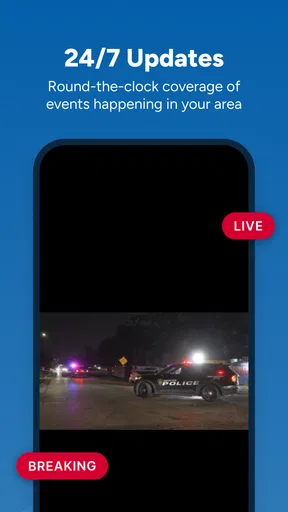
Live video is one of the more useful parts of the experience when a story is developing. Reading a headline gives me the basic event, while live coverage can provide a stronger sense of what is happening at that moment. That is valuable during weather situations, major local incidents, or a public event where the visual context changes quickly.
Still, live video is not automatically the best format for every situation. If I am standing in a checkout line or checking the app between meetings, a written update is faster and less demanding. I treat video as a second step: first I scan the headline, then I open the live coverage when the story is important enough to justify watching.
A practical tip is to avoid leaving live video running simply because it is available. For quick updates, the written feed is usually more efficient. For understanding the atmosphere and seeing how a situation is developing, video earns its place. That distinction keeps the app from feeling heavier than it needs to be.
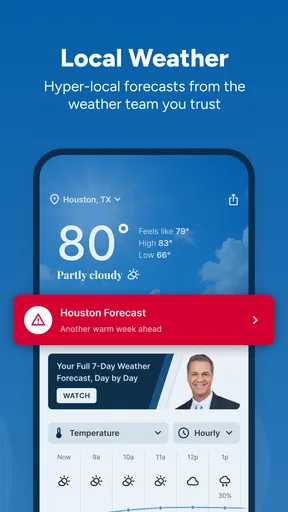
Weather is the feature I would return to most often
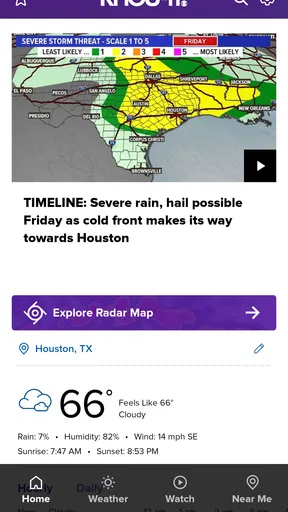
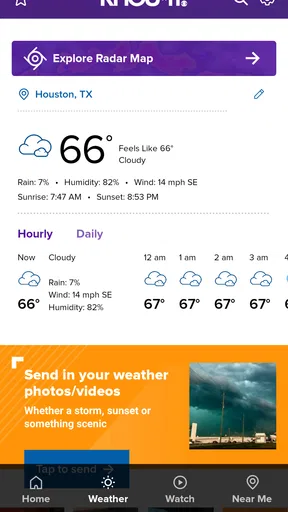
Weather gives the app a useful everyday role beyond occasional breaking news. Houston conditions can influence commuting, errands, outdoor plans, and travel across the metropolitan area. Having weather close to local reporting means I can move from “what is happening?” to “how might it affect me?” without switching between unrelated apps.
I would not treat a local news app as a substitute for every specialized weather tool, particularly if I need highly detailed forecasting or technical information. However, for a quick local check, the combination is convenient. The best workflow is to use the weather section for immediate awareness and then seek a more specialized forecast when the decision is more serious or time-sensitive.
Who will get the most value from it
This app is a good fit for Houston residents who want local headlines without sorting through a national feed. It also suits commuters, parents planning around changing conditions, people with family in the area, and anyone who wants a fast way to follow regional developments while away from a television.
It may be less suitable for someone who has moved away from Houston but wants a general news reader, or for a reader who prefers long-form analysis over quick local updates. It is also not the obvious choice for someone who wants one application to cover every city and every topic. Its value comes from being specific.
The age rating of Everyone makes it approachable for a broad household audience. That does not mean every news story will feel light; local reporting can naturally include serious subjects. It simply means the app is positioned as a general-audience news experience rather than a narrowly restricted product.
A realistic daily scenario
Imagine I am preparing for work and hear that conditions may change across Houston. I open the app, scan the newest local stories, check the weather, and decide whether I need extra travel time. Later, if a major event is developing, I return to see whether live video adds useful context. In the evening, I can use the same app to catch up on the local story I missed instead of searching several websites.
That workflow is more convincing to me than the idea of constantly reading the app throughout the day. Its strength is quick, purposeful visits. I open it with a local question, find the relevant information, and leave. The experience works best when it supports a decision rather than tries to occupy all of my attention.
What the long-running app means for existing users
A shared phone can make local updates convenient, but it also means readers should be thoughtful about who is using the device and what they open. I’ll consider the app as a straightforward news destination rather than assume it has household profiles or family controls, and then look at how people can coordinate around the information it offers.
A mature product rather than a brand-new experiment
The app’s release history suggests an established product that has had time to evolve with mobile news habits. Its current version, 50.23.2, indicates ongoing versioning rather than a frozen application. I would interpret that as a positive sign for existing users: the app remains maintained as a current mobile destination instead of being left behind after its original launch.
At the same time, a version number alone does not tell me that every change will feel dramatic. News apps often improve through small refinements: clearer navigation, better handling of current stories, smoother presentation, or adjustments to live content. Those changes can matter in daily use even when they do not create a completely new product.
For someone who has used an earlier edition, the main benefit is continuity. The purpose remains recognizable: Houston-area news, live coverage, and weather in one place. That makes it easier to keep the app in a regular routine. I would not install an update expecting the experience to become a full national news platform, because that would misunderstand what it is designed to do.
How the current version affects the rhythm of reading
With a local app like this, freshness matters more than having a huge archive. I care about whether the latest important story is easy to find, whether a live event is clearly distinguished from ordinary articles, and whether weather is reachable without unnecessary searching. Those are the details that determine whether I return during a busy day.
The app’s structure also encourages a layered reading habit. I can skim first, open one article for context, and then decide whether a live video or weather view is worthwhile. That is more efficient than treating every item as a long reading session. It also helps me avoid confusing a headline with a complete understanding of a developing story.
One non-obvious advantage of this approach is that the app can serve both “I have thirty seconds” and “I need to understand this” moments. The first use is a scan of local headlines. The second involves opening the relevant coverage and staying with the story longer. That flexibility is more useful than a design that assumes every visit has the same purpose.
How it compares with familiar alternatives
Compared with a general news aggregator, this app gives Houston more importance and reduces the effort of finding regional stories. An aggregator may offer broader personalization, but its local coverage can be diluted by national headlines or mixed sources. If my priority is Houston, that wider selection can become noise.
Compared with reading a news website in a mobile browser, the app provides a more direct habit. I do not need to remember a web address or navigate through a homepage each time. The dedicated format is especially convenient for repeated checks during a weather event or a developing local story.
Compared with a weather-only application, it adds reporting and live video, but it may not satisfy someone who wants highly specialized forecasting tools. Compared with social media, it offers a more deliberate way to find local information, although social platforms may surface eyewitness discussion more quickly. I prefer the app when I want an organized starting point rather than a stream that mixes confirmed reporting with personal reactions.
That comparison explains where I would place it on my phone. It is not the single universal news solution. It is the focused local layer that complements broader news and specialized weather services.
Small habits that make the app more useful
I would begin by using it at predictable moments instead of opening it randomly. A morning check, a mid-day glance when local conditions change, and an evening catch-up are enough for many users. This keeps the app useful without turning every notification or headline into an interruption.
When a story is developing, I would read more than the first headline before drawing a conclusion. Local situations can change quickly, and a live video may show a current scene while the written report provides the broader explanation. Using both formats together is more reliable than relying on a single short update.
I would also use the weather and news together when planning travel. A weather glance tells me about conditions, while local reporting may explain why a particular area is receiving attention. That combination is a stronger decision aid than checking a forecast in isolation, especially when the question is not simply whether it will rain but how the day may be affected locally.
Where the experience still has limits
The focused local scope is its biggest limitation as well as its main strength. If I want extensive national coverage, international reporting, financial news, or a deep archive of specialized subjects, I need another source. Installing this app does not remove the need for a broader news routine.
Live video can also be less convenient than text when I am in a noisy place, have limited time, or do not want to use much attention on a screen. The presence of video is valuable, but I would not expect it to replace written reporting. The best experience comes from choosing the format that matches the situation.
Another consideration is that local news is not always comfortable or entertaining. A serious regional story can make the app feel urgent rather than relaxing. That is not a flaw in the reporting concept, but users who want only light content should understand that a local news service follows real events, including difficult ones.
Finally, readers who live outside the Houston area may find the app’s specificity less useful. Someone visiting briefly could still benefit from local weather and current developments, but a person looking for permanent coverage of another region would be better served by an app centered on that location.
What I would watch as the app continues to evolve
For future updates, I would pay attention to how clearly the app separates urgent developments, ordinary local stories, weather information, and live coverage. Those distinctions affect how quickly I can make sense of the screen. A local app does not need endless features; it needs the important information to be easy to identify.
I would also watch whether the experience remains efficient for both short visits and deeper reading. More content is not automatically better if it makes the main local story harder to find. The best direction would be continued refinement of the Houston focus, with live video and weather remaining useful additions rather than distractions from the core reporting.
The app’s scale is already substantial for a regional service, with over one hundred thousand installs and an average rating of 4.5 from around seven thousand ratings. Those figures suggest that many people find the local approach worthwhile, while the overall rating still leaves room for individual preferences and occasional friction. I would read that as encouragement to try it, not as a promise that it will suit every news habit.
For existing users, the sensible approach is to keep updating the app and judge changes by daily usefulness: Can I find the newest Houston story quickly? Is live coverage easy to recognize when it matters? Does the weather view help me make a practical decision? Those questions are more meaningful than expecting every release to introduce a headline feature.
My recommendation after using it
I recommend Houston News from KHOU 11 to anyone who wants a straightforward Houston-area news companion, especially if local weather and live coverage are part of the reason they check the news. It is free, supports a broad audience, and has a clear identity that makes it easy to understand where it belongs in a phone’s app lineup.
I would skip it as a primary choice if my main goal were worldwide news, detailed specialist reporting, or advanced weather analysis. In those cases, a broader news reader or dedicated weather service would be a better match. But for the person who asks, “What is happening around Houston, and could it affect my day?” this app gives a practical answer without requiring a complicated setup.
My final view is that its value comes from focus rather than excess. I do not need it to do everything. I need it to make local reporting, live video, and weather easy to reach when Houston is the place that matters. On that narrower and more useful measure, it earns a place in my regular news routine.
Verdict
Strengths of Houston News from KHOU 11
- Fast access to breaking news across the Houston area.
- Live weather updates help users prepare for changing local conditions.
- Video reports provide more context than short text headlines.
- Coverage includes traffic, sports, investigations, and community stories.
- Push alerts can keep you informed about urgent local developments.
Limitations of Houston News from KHOU 11
- Frequent notifications may feel excessive unless carefully customized.
- Some articles may include advertising or sponsored content.
- Video and live-stream features can use significant mobile data.
- Coverage is mainly Houston-focused and less useful outside the region.
- Occasional app or stream issues may affect access during major events.
Other Releases by TEGNA
View All
WFAA - News from North Texas
News & Magazines4.2

KARE 11 News
News & Magazines4.2

Cleveland News from WKYC
News & Magazines4.2

Knoxville News from WBIR
News & Magazines4.6
Similar Picks in This Category
View All
Google News - Daily Headlines
Google LLC4.0

X
X Corp.4.8

Flipboard:Your Social Magazine
Flipboard3.4

Opera News: breaking & local
Opera4.5

Hindi News by Dainik Bhaskar
Dainik Bhaskar Group4.0

Way2News Daily News App
Way2News ( Formerly Way2SMS )4.6
Frequently Asked Questions
What is Houston News from KHOU 11?
Houston News from KHOU 11 is a local news app focused on the Houston, Texas, area. It brings together breaking news, weather updates, traffic information, sports coverage, investigative reports, and community stories from the KHOU 11 newsroom. The app is designed for users who want quick access to local reporting and live updates without relying only on television broadcasts or a desktop website.
What type of news and information can I find in the KHOU 11 app?
The app typically covers major Houston and Southeast Texas headlines, including crime, public safety, politics, education, health, business, entertainment, and local events. Users can also find weather forecasts, severe-weather alerts, traffic reports, sports stories, videos, and special investigations. Available sections and coverage may change depending on current events, editorial priorities, and the user’s location settings.
Does Houston News from KHOU 11 provide live news and weather alerts?
Yes, the app is intended to provide timely updates when important events happen. Depending on the situation, users may receive breaking-news notifications, severe-weather warnings, live video coverage, forecast updates, and other urgent information. Notifications can usually be managed in the device settings or inside the app, so you can choose whether to receive all alerts or only the most important local updates.
Is the KHOU 11 news app free to download and use?
Houston News from KHOU 11 is generally available as a free download for supported Android and iOS devices. Most news articles, videos, forecasts, and updates can normally be accessed without a subscription, although the app may contain advertising or links to external content. Mobile data charges may apply when streaming video or browsing outside a Wi-Fi connection, depending on your carrier plan.
Does the app require location access, and can I use it outside Houston?
You can usually use the app outside Houston to read KHOU 11 coverage, watch available videos, and follow regional developments. Location access may be requested to provide more relevant weather forecasts, traffic details, or nearby alerts, but it is generally optional. If privacy is a concern, review the permission settings on your phone and allow location access only when you are comfortable doing so.
